



Loading Refills
Only enMotion® refills may be loaded into this dispenser.
Step 1
Remove cap and ensure bottle is orientation is correct with with ingredients label in the back.
Step 2
Push refill bottle into dispenser until it clicks into place and close cover.
NOTE: Soap/sanitizer containers are fully recyclable* without being disassembled.
*Recycling facilities for this product may not exist in your area

Step 3
Position hand under dispenser to prime and confirm operation. A blue light will appear as the product is dispensed. The portion size per use is determined according to the selector position.
NOTE: It is normal for the refills bottle to collapse as the product is consumed.
Dose Selection
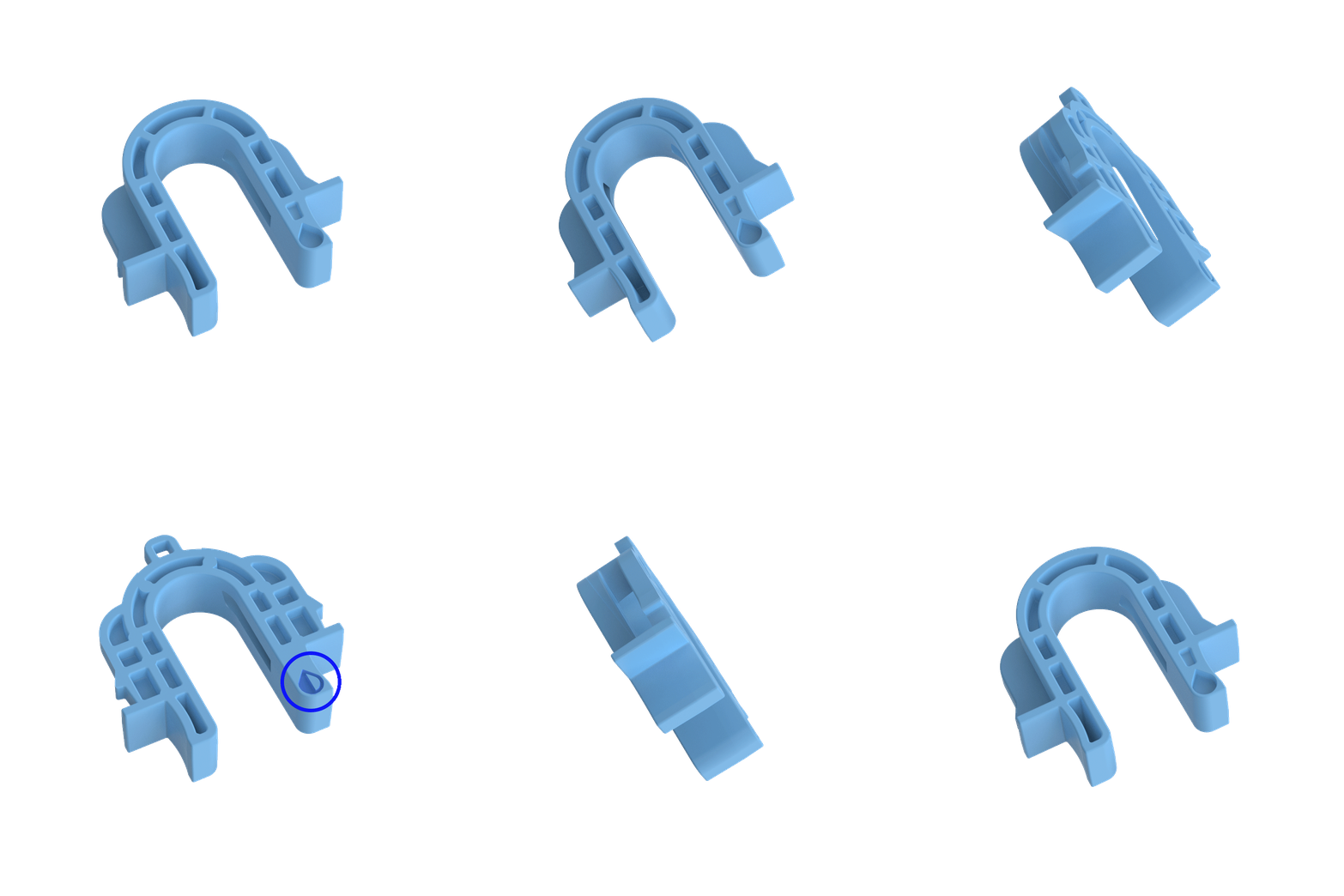
Portion Control Selector
Portion size is indicated by the icons highlighted.
Low Dose
High Dose
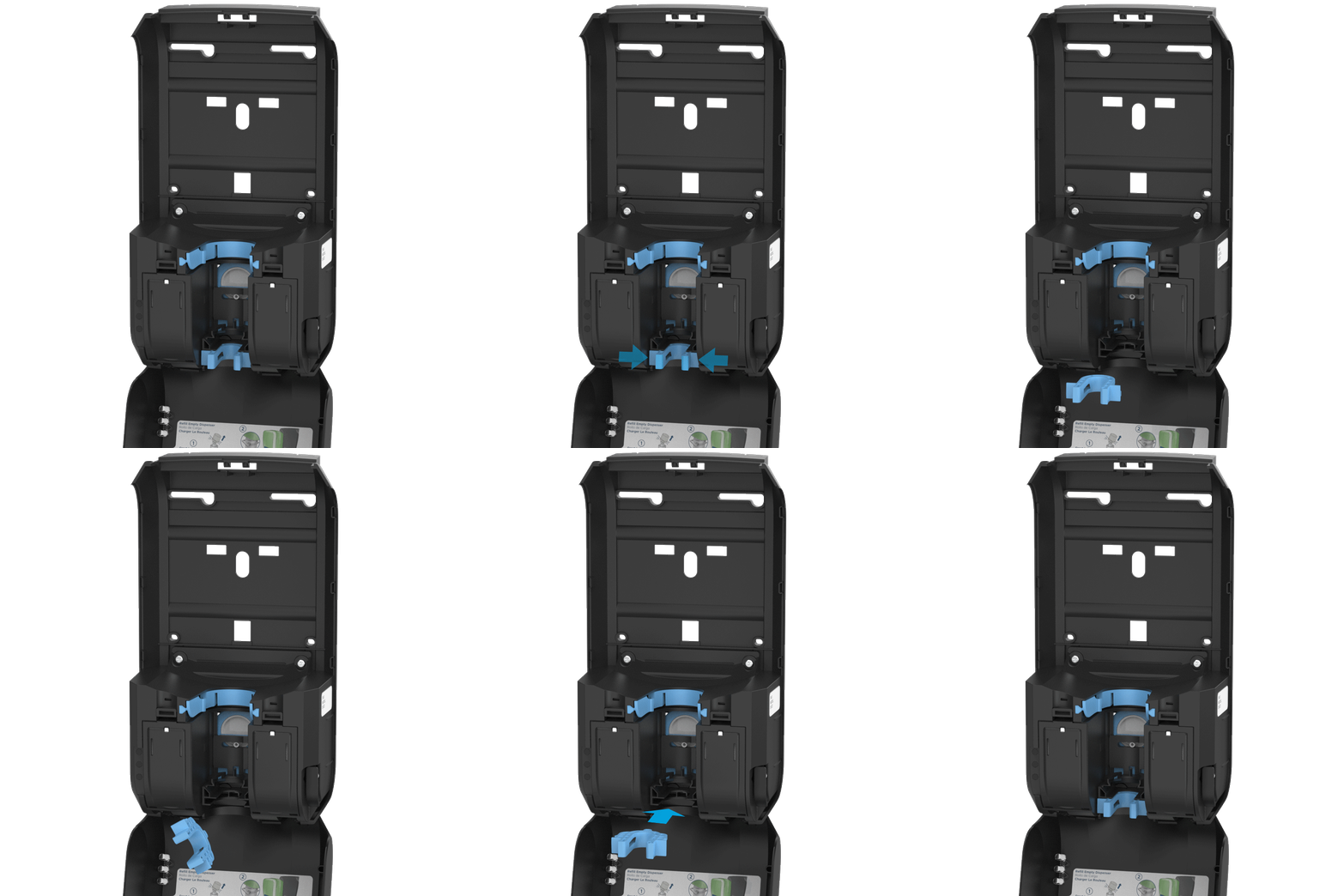
Step 1
To change the amount dispensed, remove the soap/sanitizer bottle, then remove the portion control selector by squeezing the sides and pulling.
Step 2
Flip the selector upside down and reinsert by pushing until it clicks into place.
NOTE: If the insert is not present, the unit will operate at low.
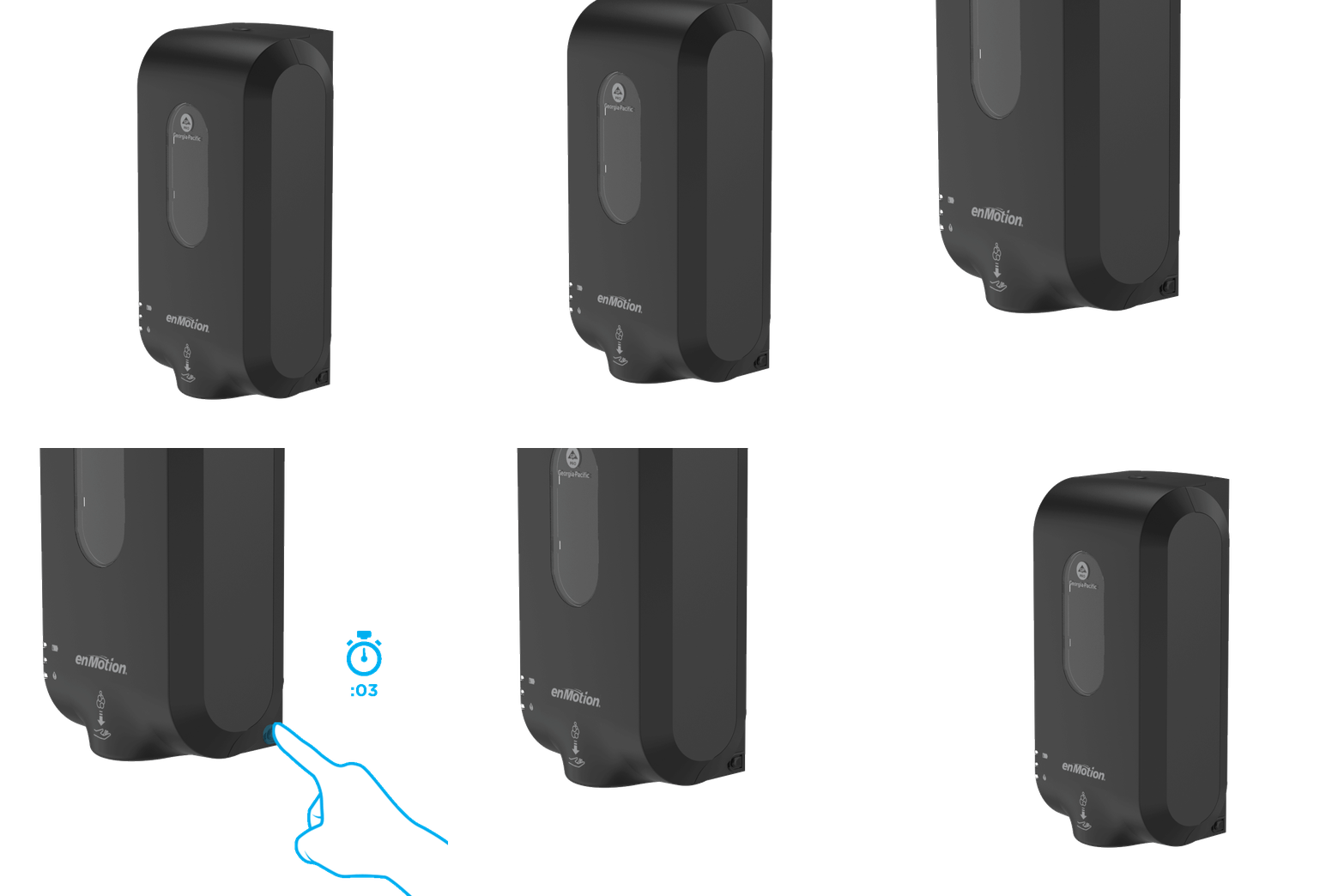
Maintenance Mode
This button activates maintenance mode which avoids dispensing product while cleaning the dispenser.
Step 1
Push the button on the lower rear right side of the dispenser and hold for 3 seconds.
Maintenance mode is indicated by alternating red flashing lights.
NOTE: If only the battery indicator light is flashing, the batteries are non-functioning and need to be replaced.
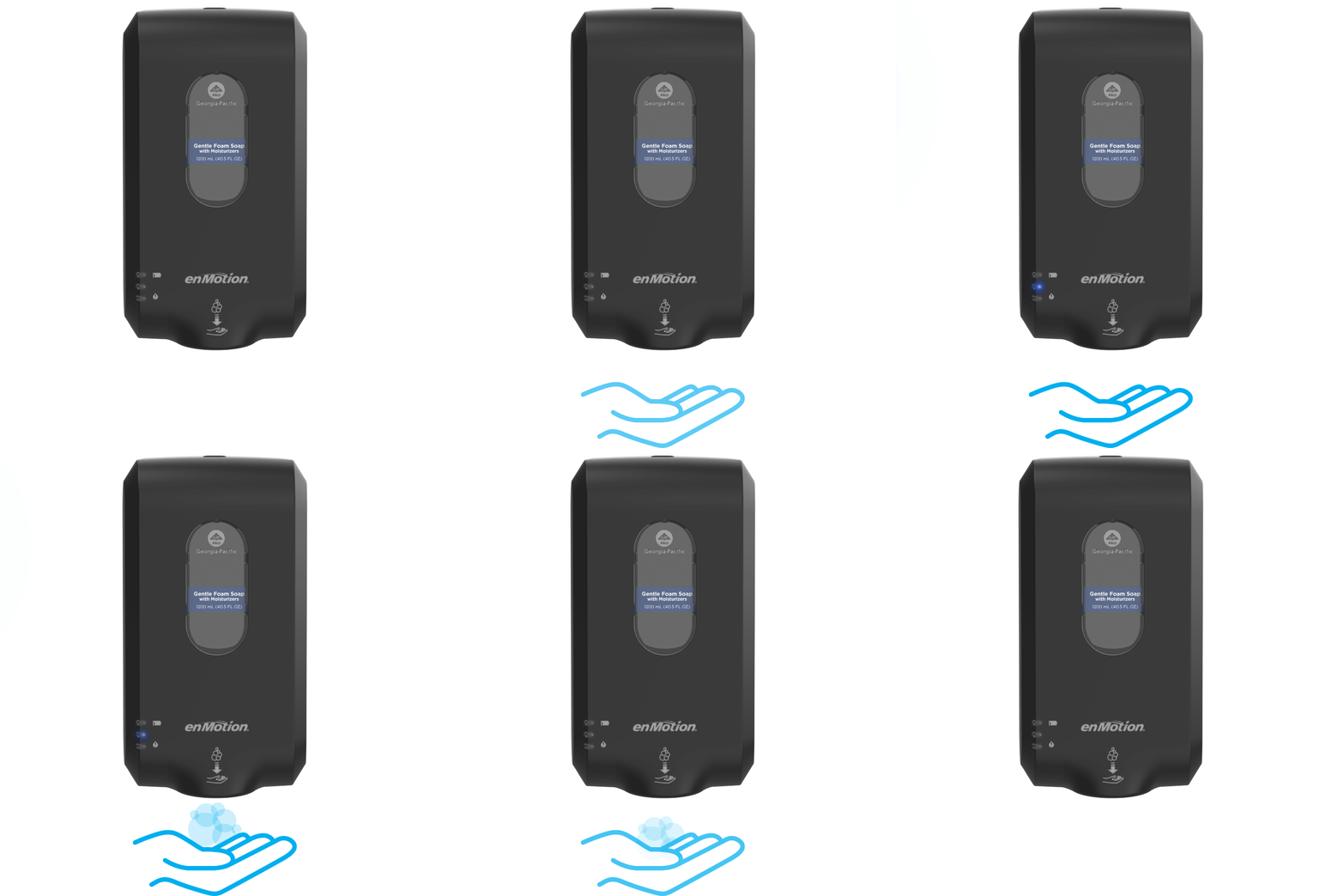
Dispenser Lights
These lights communicate different statuses that the dispenser is in.

Maintenance Mode
Alternating red flashing lights.
Dispensing
Blue light appears when product is dispensed.
Low Product
Red light flashes slowly when battery is low. Light flashes quickly when battery is very low.
Low Battery
Red light indicates low battery. Flashing red light indicates non-functioning batteries.
Battery Loading
Step 1
Open front cover.
Step 2
Remove battery cover on each side of dispenser.
NOTE: The unit will not dispense soap/sanitizer while cover is open.
Step 3
Remove depleted batteries and insert four (4) new D-cell alkaline batteries, two (2) on each side.
Step 4
Replace battery covers and close front cover.

Battery Care and Disposal
1.
Keep in original packaging until ready for use.
2.
Remove battery from device when not in use for an extended period of time.
3.
Never disassemble battery. Chemicals inside battery can be dangerous if swallowed or exposed to skin.
4.
Avoid mechanical or electrical abuse.
5.
Keep away from children.
6.
Battery is not designed to be recharged.
7.
Avoid extreme temperatures.
8.
Do not incinerate, since battery may explode at excessive temperatures.
9.
Do not dispose of large amounts of batteries as it creates a safety risk.
10.
Dispose of accumulated batteries in accordance with appropriate federal, state, and local regulations.
11.
Do not mix old and new batteries or nonrechargeable and rechargeable batteries.
12.
Rechargeable batteries are not recommended.